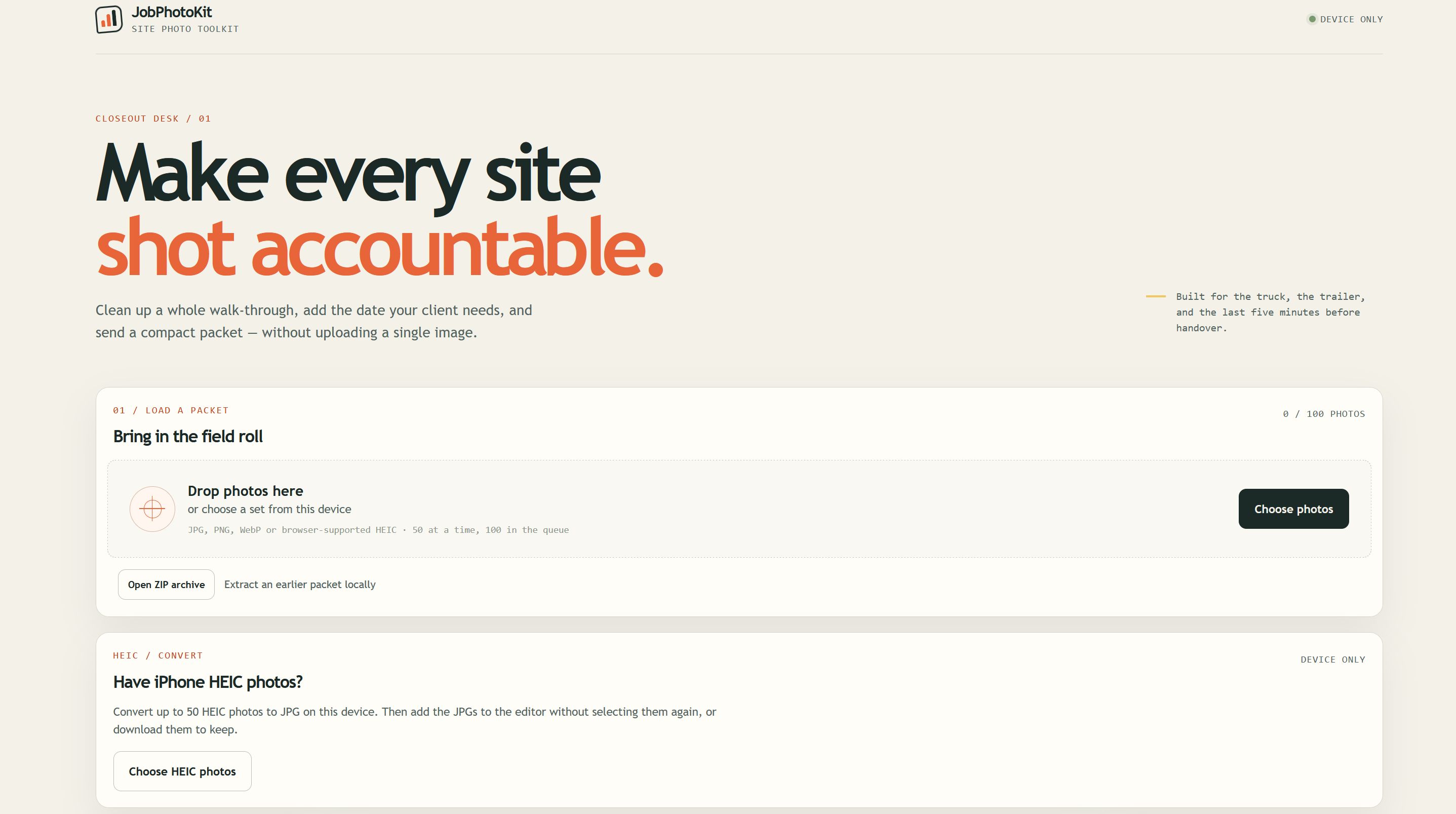
01 / LOAD
Bring in the field roll.
Choose photos from your device, open an earlier ZIP packet, or convert HEIC files to JPG. Load up to 50 photos at a time, with up to 100 in the queue.
FROM THE JOBSITE TO YOUR CLIENT
Turn a collection of jobsite photos into an organized photo packet. Convert iPhone HEIC files, add dates and notes, and make smaller files for sharing—all on your device.
Buy JobPhotoKit — $5.00Desktop browser app · Digital download
See the app in action ↓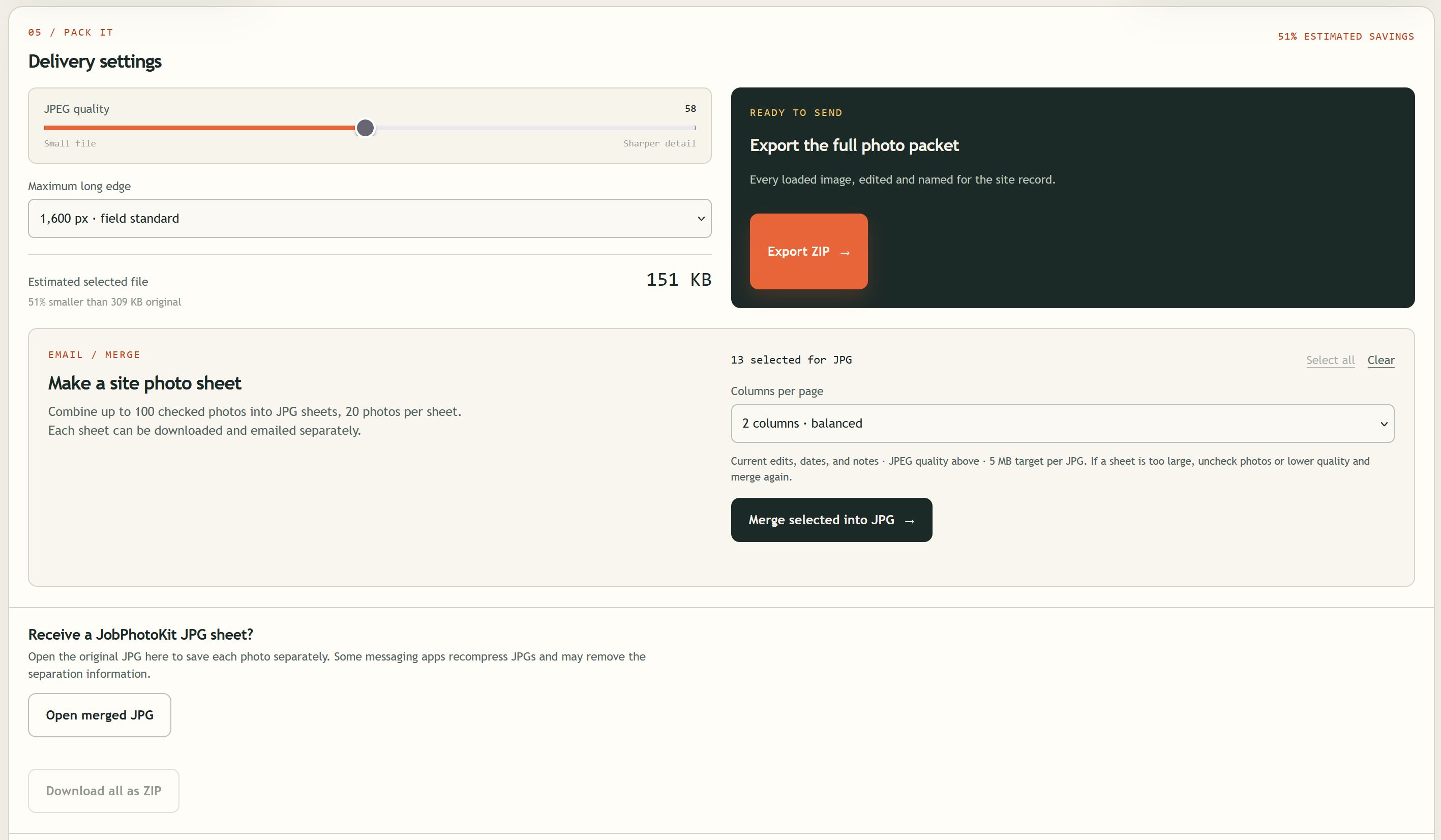
ACTUAL APP SCREENS
A look at the tools you will use to prepare your next photo packet. Select any screenshot to open the full image.
Choose photos from your device, open an earlier ZIP packet, or convert HEIC files to JPG. Load up to 50 photos at a time, with up to 100 in the queue.
Use the photo queue to choose images for editing and select the ones you want to include in a JPG sheet. Add date labels and notes to give your photos context.
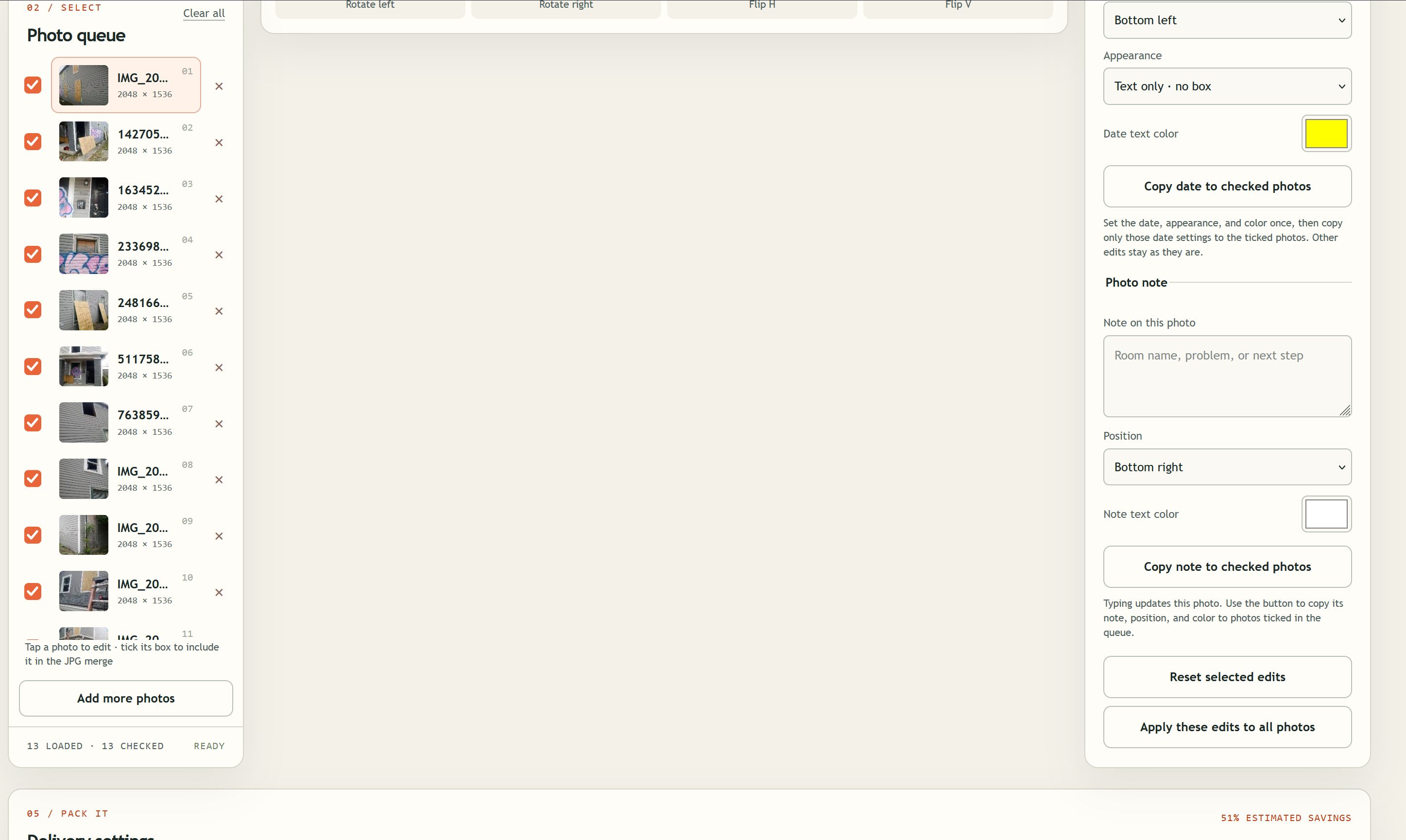
Add a room name, problem, or next step. Copy note settings to checked photos, copy date settings separately, or apply the selected photo's edits to all photos.
Then adjust export dimensions and JPG quality before building your packet.
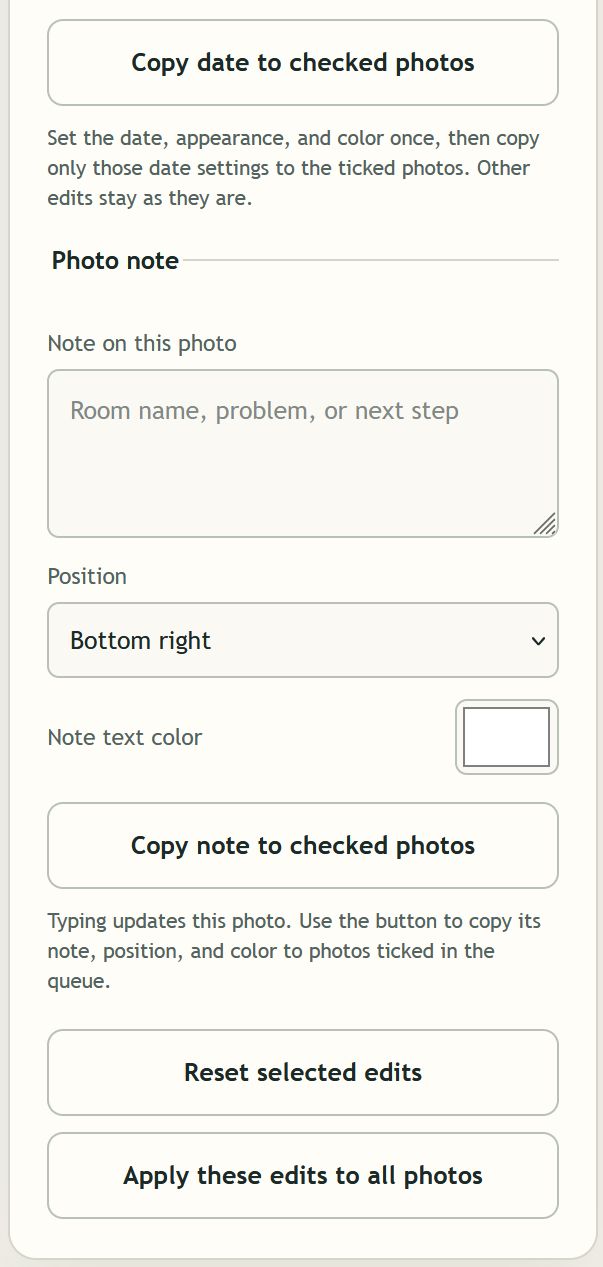
Export edited photos together in a ZIP or combine selected photos into JPG sheets, up to 20 photos per sheet. Share the downloads using your usual email or file-sharing service.
The screenshot's size savings are one example; results depend on the source photos and settings.
DEVICE ONLY
JobPhotoKit edits and packages photos in your browser without uploading them for processing. You decide where exported files go. The app does not automatically email your files or keep a cloud backup.
GET JOBPHOTOKIT
Your download includes the photo editor, HEIC converter, JPG sheet maker, and ZIP export tools.
$5.00
One-time purchase. No recurring fee.
Buy JobPhotoKit — $5.00Payment and download delivery are handled by Payhip.
FREE FOR YOUR CLIENTS
Download the free JobPhotoKit Photo Extractor once. Open an original merged JPG and save its individual photos, or download them together as a ZIP. No purchase or account required.
Download Free Photo ExtractorDesktop download · Extract the ZIP and open index.html · Runs on your device
Recovers the edited photos at the size stored in the sheet. Use the original unmodified JPG; resizing or recompressing it may remove the separation information.
After a successful purchase, the checkout service provides your download link. Extract the complete ZIP, keep its files together, and open index.html in a modern desktop browser. This is a browser-based download rather than a Windows or Mac installer.
No. JobPhotoKit is a $5.00 one-time purchase with no recurring fee.
This downloadable edition is intended for desktop use. Opening downloaded web-app folders on phones is not the supported purchase workflow.
No. The stamp is a date label you choose. It does not authenticate the original capture date.
Export your photos before closing or refreshing the app. It does not include automatic cloud storage or backups.
Use a modern desktop browser. Large image batches and HEIC conversions can require substantial memory. Review the seller's checkout information for license scope, support, updates, and refund terms.